


📅 Updated: June 10, 2026 (Originally published: March 14, 2026)
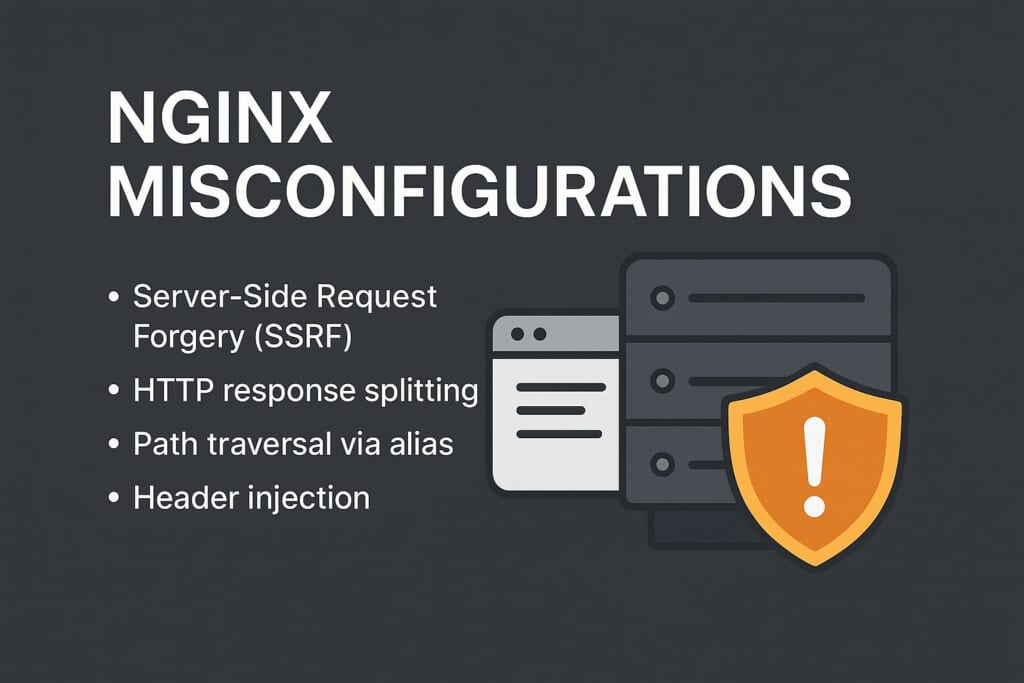
HTTP response splitting, path traversal via alias, and header injection — these issues often slip through code review and only surface in production, sometimes after an attacker has already exploited them. Gixy IDE plugins bring automated detection of these vulnerabilities directly into your code editor, so you can fix them before they ever reach a server.
The traditional approach is to catch these problems in CI/CD pipelines or through periodic security audits. But by then, the misconfiguration has already been committed, reviewed, and merged. The fix requires another full cycle. The shift-left approach is better: catch NGINX security issues while you’re editing the configuration file, not after deployment.
Gixy, the open-source NGINX configuration security analyzer, is now available as native plugins for VS Code/Cursor and JetBrains IDEs. Whether you manage a handful of NGINX configs or maintain infrastructure at scale, Gixy IDE plugins give you real-time security feedback without leaving your editor.
What Gixy Detects
Gixy performs over 30 security checks against your NGINX configuration, including:- SSRF vulnerabilities — detecting
proxy_passdirectives that allow internal network access - HTTP response splitting — finding header injection points via
add_headerandproxy_set_header - Host header spoofing — identifying configurations that trust the
Hostheader without validation - Alias traversal — catching
location+aliascombinations that expose the filesystem add_headeroverwrite — detecting cases where child blocks silently drop security headers from parent blocks- Weak TLS configuration — flagging outdated protocols and weak cipher suites (see our TLS 1.3 hardening guide)
- Missing HSTS — identifying servers that don’t enforce HTTP Strict Transport Security
- Referrer policy issues — detecting
valid_referersbypass via$invalid_referer - Improper
ifusage — flagging dangerous patterns insideifblocks that cause unexpected behavior - Missing
internaldirective — detecting locations that should be restricted to internal requests only
VS Code and Cursor Setup
The Gixy VS Code extension works in both VS Code and Cursor (which is VS Code-based). If you use either editor for editing NGINX configs — whether locally or via SSH remote sessions — the Gixy IDE plugins integrate seamlessly into your workflow.Installation
- Open the Extensions panel (
Ctrl+Shift+X/Cmd+Shift+X) - Search for “Gixy”
- Click Install
Prerequisites
The VS Code extension requires thegixy-ng Python package installed on your system:
pip install gixy-ng
sudo dnf install gixy
What You Get
Once installed, Gixy analyzes your NGINX configuration files automatically as you edit them:- Inline diagnostics — security issues appear as squiggly underlines directly in your code, colored by severity (red for errors, yellow for warnings)
- Problems panel — all findings are listed in VS Code’s Problems panel for a quick overview
- Hover explanations — hover over a flagged directive to see a description of the vulnerability and why it matters
- Documentation links — each finding includes a link to the detailed explanation on gixy.getpagespeed.com
JetBrains IDEs Setup
The Gixy plugin for JetBrains IDEs supports IntelliJ IDEA, PyCharm, WebStorm, GoLand, PhpStorm, CLion, Rider, and all other JetBrains IDEs.Installation
- Open Settings → Plugins → Marketplace
- Search for “Gixy”
- Click Install and restart the IDE
Zero Dependencies
Unlike the VS Code extension, the JetBrains plugin requires no external dependencies. It automatically downloads and manages the appropriate native Gixy binary for your platform (Linux x86_64/aarch64, macOS x86_64/aarch64, Windows x86_64). No Python installation needed — the plugin is entirely self-contained.What You Get
- Live scanning — NGINX files are analyzed in real-time as you type, with results appearing inline
- Problems panel integration — findings show up in JetBrains’ Inspections/Problems panel alongside other IDE inspections
- Severity mapping — Gixy severity levels map to JetBrains’ native severity icons (error, warning, info)
- Quick navigation — click any finding to jump directly to the problematic directive
- Configurable analysis — enable or disable specific checks through the IDE’s inspection settings
Key Features Across Both Plugins
Both Gixy IDE plugins share core capabilities that make NGINX security analysis seamless: Real-time feedback. No need to switch to a terminal or run a separate command. Security issues surface as you write configuration, before you even save the file (JetBrains) or on save (VS Code). This is the fastest possible feedback loop for NGINX security. Severity-based prioritization. Critical issues like SSRF or path traversal appear as errors. Lower-risk findings like missing HSTS show as warnings. This helps you focus on what matters most and triage your fixes accordingly. Actionable explanations. Every finding includes a clear description of what the vulnerability is, why it’s dangerous, and how to fix it. No cryptic error codes — just practical guidance with links to detailed documentation. Zero configuration. Both plugins work out of the box with sensible defaults. Point them at any NGINX configuration file and they start analyzing immediately. No project setup, no config files to create, no rules to define. Cross-platform support. Both plugins work on Linux, macOS, and Windows. Whether you’re editing configs on your local machine or connecting to a remote server, Gixy IDE plugins have you covered.Comparison: VS Code vs JetBrains Plugin
| Feature | VS Code / Cursor | JetBrains |
|---|---|---|
| Dependencies | Requires gixy-ng (Python) |
None (auto-downloads binary) |
| Analysis trigger | On file save | Real-time as you type |
| Inline diagnostics | Yes | Yes |
| Problems panel | Yes | Yes |
| Hover explanations | Yes | Yes |
| Configurable checks | Via settings | Via inspection settings |
| Platforms | Linux, macOS, Windows | Linux, macOS, Windows |
Alternative: CLI and CI/CD Integration
Gixy IDE plugins catch issues during development, but you should also integrate Gixy into your CI/CD pipeline for defense in depth. Even the best developers occasionally skip IDE warnings — a CI gate ensures nothing slips through.Command-Line Usage
Install Gixy as a CLI tool:# Via pip
pip install gixy-ng
# Via RPM (RHEL/CentOS/Rocky/Alma)
sudo dnf install gixy
gixy /etc/nginx/nginx.conf
include directives, so pointing it at the main config file analyzes your entire NGINX setup. Exit code is non-zero when issues are found, making it perfect for CI/CD integration.
CI/CD Integration
Add Gixy to your deployment pipeline to prevent security issues from reaching production: GitHub Actions:- name: Check NGINX config security
run: |
pip install gixy-ng
gixy /path/to/nginx.conf
nginx-security:
  script:
    - pip install gixy-ng
    - gixy /path/to/nginx.conf
Online Tool
Don’t want to install anything? Use the NGINX Config Checker — our online tool that runs Gixy against your configuration right in the browser. Paste your config, get instant security analysis. It’s powered by the same Gixy engine that drives the IDE plugins and CLI tool. The online checker is great for quick one-off checks. For regular work with NGINX configurations, the Gixy IDE plugins are the better choice — they provide continuous, automatic analysis without any context switching.Conclusion
NGINX security analysis shouldn’t be an afterthought. With Gixy IDE plugins, you catch vulnerabilities at the earliest possible stage — while you’re writing the configuration. Combined with CI/CD integration and the online checker, you get a complete defense-in-depth strategy for your NGINX infrastructure. Get started now:- VS Code / Cursor Extension — install from VS Code Marketplace
- JetBrains Plugin — install from JetBrains Marketplace
- Gixy Documentation — full reference for all checks
- Online NGINX Config Checker — try Gixy without installing anything
- Gixy on GitHub — star the project, report issues, contribute
nginx-amplify-agent (EOL January 2026).
]]>