


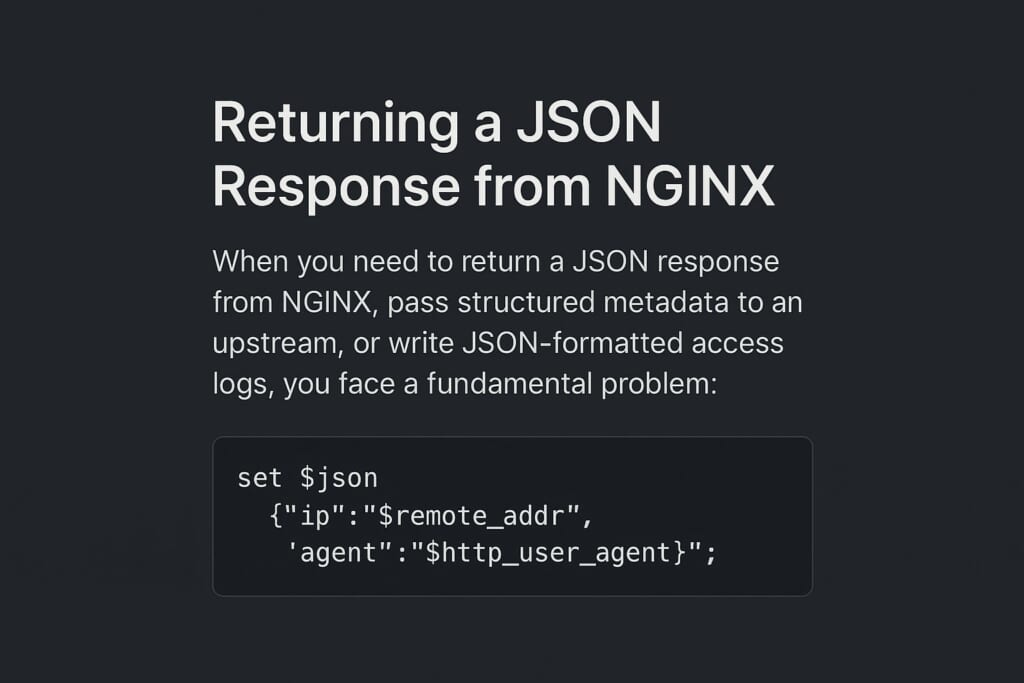
The NGINX JSON Var module lets you compose NGINX variables into properly escaped JSON objects. When you need to return a JSON response from NGINX, pass structured metadata to an upstream, or write JSON-formatted access logs, you face a fundamental problem: NGINX has no built-in way to produce a JSON-escaped variable.
You can manually build a JSON string using set or map directives:
set $json '{"ip":"$remote_addr","agent":"$http_user_agent"}';
However, this approach is dangerous. If $http_user_agent contains a double quote or backslash — which real-world user agents regularly do — the resulting string is broken JSON. This can corrupt log pipelines, break upstream parsers, and open the door to log injection attacks.
The NGINX JSON Var module solves this problem. It lets you define variables that produce properly escaped JSON objects at request time. Every value runs through NGINX’s ngx_escape_json() function. Quotes, backslashes, and control characters are all safely escaped.
How the NGINX JSON Var Module Works
The module introduces a single block directive, json_var, in the http context. You give it a variable name and a list of key-value pairs. At runtime, when NGINX accesses that variable, the module evaluates all inner expressions, JSON-escapes each value, and assembles a complete JSON object.
Here is the internal process:
- At configuration time, the module parses the
json_varblock. It registers the variable name and compiles each value expression (which can contain NGINX variables like$remote_addr) - At request time, the module evaluates every expression against the current request. It calculates the exact buffer size needed and builds the output in a single pass
- All values are JSON strings — they are always double-quoted. Numeric values like
$statusappear as"200", not200 - Memory comes from the request pool, so it is freed when the request completes
The variable is non-cacheable. It is recomputed each time it is accessed. This ensures variables like $status always reflect the correct value.
Why Not Use Native escape=json?
NGINX (since version 1.11.8) supports escape=json in the log_format directive:
log_format json_native escape=json
    '{"client":"$remote_addr","agent":"$http_user_agent"}';
This works well for access logs. However, the escaping happens only at log-write time. It does not produce a reusable NGINX variable. You cannot use it in:
return 200 $my_json;— to serve a JSON responseproxy_set_header X-Info $my_json;— to pass data upstreamadd_header X-Debug $my_json;— to include JSON in headersif ($my_json ~ "pattern")— to match against structured data
The NGINX JSON Var module fills this gap. It produces a first-class NGINX variable usable anywhere variables are accepted.
| Capability | Native escape=json |
JSON Var Module |
|---|---|---|
| JSON-escaped access logs | Yes | Yes (with escape=none) |
JSON variable in return |
No | Yes |
JSON variable in proxy_set_header |
No | Yes |
JSON variable in add_header |
No | Yes |
JSON variable in map or if |
No | Yes |
| Automatic key-value structure | No (manual) | Yes (declarative) |
Installation
RHEL, CentOS, AlmaLinux, Rocky Linux, Fedora
Install from the GetPageSpeed RPM repository:
sudo dnf install https://extras.getpagespeed.com/release-latest.rpm
sudo dnf install nginx-module-json-var
Load the module at the top level of /etc/nginx/nginx.conf (before the http block):
load_module modules/ngx_http_json_var_module.so;
Debian and Ubuntu
First, set up the GetPageSpeed APT repository, then install:
sudo apt-get update
sudo apt-get install nginx-module-json-var
On Debian/Ubuntu, the package handles module loading automatically. No
load_moduledirective is needed.
See the APT module page for details.
Configuration
The json_var Directive
| Property | Value |
|---|---|
| Syntax | json_var $variable { key value; ... } |
| Default | — |
| Context | http |
The json_var directive defines a new NGINX variable whose value is a JSON object. The first argument is the variable name (must start with $). Inside the block, each line specifies a JSON key and a value expression. Value expressions can contain any NGINX variables.
Example:
http {
    json_var $request_info {
        timestamp    $time_iso8601;
        client       $remote_addr;
        method       $request_method;
        uri          $request_uri;
        userAgent    $http_user_agent;
        status       $status;
    }

    server {
        listen 80;

        location /info {
            default_type application/json;
            return 200 $request_info;
        }
    }
}
A request to /info produces:
{"timestamp":"2026-03-10T11:08:58+08:00","client":"127.0.0.1","method":"GET","uri":"/info","userAgent":"curl/8.12.1","status":"200"}
Rules and Constraints
- Place the directive in the
httpblock only. It cannot appear insideserverorlocation - You can define multiple
json_varblocks, each creating a different variable - The block needs at least one key-value pair. An empty block causes a config error
- Keys are static strings, not variable expressions
- All values are serialized as JSON strings (double-quoted)
Use Cases
1. Structured JSON Access Logs
The most popular use for the NGINX JSON Var module is structured access logs. These logs are ready for tools like Elasticsearch, Loki, Datadog, or Splunk.
http {
    json_var $json_access_log {
        time         $time_iso8601;
        client       $remote_addr;
        method       $request_method;
        uri          $request_uri;
        status       $status;
        bodyBytes    $body_bytes_sent;
        referer      $http_referer;
        userAgent    $http_user_agent;
        requestTime  $request_time;
        upstream     $upstream_addr;
        upstreamTime $upstream_response_time;
    }

    log_format json_access escape=none $json_access_log;

    access_log /var/log/nginx/access.json json_access;
}
Important: Use
escape=nonein thelog_formatwhen using ajson_varvariable. The module handles JSON escaping internally. Withoutescape=none, NGINX’s default escaping hex-encodes the quotes (producing\x22), which makes the output unreadable.
Each log line is a valid JSON object:
{"time":"2026-03-10T11:08:58+08:00","client":"127.0.0.1","method":"GET","uri":"/page","status":"200","bodyBytes":"1024","referer":"","userAgent":"Mozilla/5.0","requestTime":"0.002","upstream":"127.0.0.1:8080","upstreamTime":"0.001"}
This is cleaner than hand-crafted JSON in log_format. You do not need to manage quotes, commas, or escape characters.
2. JSON API Responses Without a Backend
For health checks, status endpoints, or debug pages, serve JSON directly from NGINX:
http {
    json_var $health_response {
        status    healthy;
        server    $hostname;
        time      $time_iso8601;
    }

    server {
        listen 80;

        location /health {
            default_type application/json;
            return 200 $health_response;
        }
    }
}
This returns properly formatted JSON:
{"status":"healthy","server":"web01","time":"2026-03-10T11:08:58+08:00"}
3. Passing Structured Metadata to Upstreams
When NGINX acts as a reverse proxy, you often forward client metadata to the backend. Instead of multiple headers, pass a single JSON object:
http {
    json_var $client_context {
        clientIp     $remote_addr;
        host         $host;
        scheme       $scheme;
        requestId    $request_id;
        forwardedFor $http_x_forwarded_for;
    }

    server {
        listen 80;

        location / {
            proxy_set_header X-Client-Context $client_context;
            proxy_pass http://backend;
        }
    }
}
The backend receives one X-Client-Context header with all metadata in a JSON string. This reduces header count and makes the structure explicit.
4. Debug Headers in Responses
During troubleshooting, attach request metadata as a response header:
http {
    json_var $debug_info {
        requestId    $request_id;
        upstream     $upstream_addr;
        cacheStatus  $upstream_cache_status;
        responseTime $request_time;
    }

    server {
        listen 80;

        location / {
            add_header X-Debug-Info $debug_info always;
            proxy_pass http://backend;
        }
    }
}
5. Custom Error Responses in JSON
Combine json_var with NGINX error pages to return structured error responses:
http {
    json_var $not_found_response {
        error   true;
        message "The requested resource was not found";
        path    $request_uri;
    }

    server {
        listen 80;

        location / {
            proxy_pass http://backend;
        }

        error_page 404 = @not_found;

        location @not_found {
            default_type application/json;
            return 404 $not_found_response;
        }
    }
}
JSON Escaping Behavior
The module uses NGINX’s built-in ngx_escape_json() function. These characters are escaped automatically:
| Character | Escaped Form |
|---|---|
" (double quote) |
\" |
\ (backslash) |
\\ |
\n (newline) |
\n |
\r (carriage return) |
\r |
\t (tab) |
\t |
| Control characters (0x00–0x1F) | \uXXXX |
User-controlled input like $http_user_agent or $args will never break the JSON structure. A User-Agent like Mozilla/5.0 ("test") \slash becomes Mozilla/5.0 (\"test\") \\slash in the output.
JSON Var Module vs. JSON Module
GetPageSpeed offers two complementary JSON modules for NGINX. They serve opposite purposes:
- JSON Var module (this article) — constructs JSON from NGINX variables
- JSON module — parses JSON strings into NGINX variables
The JSON module provides json_loads and json_dumps directives. It takes a JSON string (from a header, a query parameter, or a set directive) and extracts individual fields into NGINX variables. The JSON Var module does the reverse: it takes individual NGINX variables and assembles them into a JSON object.
| Feature | JSON Var Module | JSON Module |
|---|---|---|
| Direction | Variables → JSON object | JSON string → Variables |
| Directives | json_var |
json_loads, json_dumps |
| Dependencies | None | NDK, jansson library |
| Context | http only |
http, server, location |
| JSON escaping | Automatic (built-in) | Not applicable (reads JSON) |
| Use case | Build JSON for output | Extract fields from input |
When to Use Which
Use the JSON Var module when you need to produce JSON output — logging, API responses, proxy headers, or debug information. It handles escaping automatically.
Use the JSON module when you receive JSON input and need to extract fields — routing based on a JSON header, extracting a tenant ID from a JSON payload, or logging individual JSON fields.
Using Both Together
The two modules combine naturally in API gateway scenarios. The JSON module parses incoming JSON metadata, and the JSON Var module constructs outgoing JSON with enriched data:
load_module modules/ndk_http_module.so;
load_module modules/ngx_http_json_module.so;
load_module modules/ngx_http_json_var_module.so;

http {
    # Construct enriched JSON for the upstream
    json_var $enriched_context {
        clientIp  $remote_addr;
        tenant    $tenant_name;
        tier      $tenant_tier;
        requestId $request_id;
    }

    server {
        listen 80;

        location /api/ {
            # Parse incoming JSON header
            json_loads $tenant_json $http_x_tenant_config;
            json_dumps $tenant_name $tenant_json name;
            json_dumps $tenant_tier $tenant_json tier;

            # Forward enriched context to backend
            proxy_set_header X-Context $enriched_context;
            proxy_pass http://backend;
        }
    }
}
In this example, a client sends X-Tenant-Config: {"name":"acme","tier":"premium"}. NGINX extracts the name and tier fields with the JSON module, then the JSON Var module packages them alongside $remote_addr and $request_id into a new JSON object for the backend.
Performance Considerations
The NGINX JSON Var module adds minimal overhead:
- No external dependencies — uses only NGINX’s built-in allocator and escape functions
- Single-pass construction — one allocation, one write pass
- Request-scoped memory — freed in bulk when the request completes
- Pre-computed sizes — fixed overhead (braces, commas, keys) is calculated once at config time
The variable is non-cacheable, so it is recomputed on each access. In practice, this cost is negligible. The computation involves one pass over field values with no system calls.
For high-traffic logging, performance matches native escape=json. Both use the same ngx_escape_json() function internally. The only extra cost is assembling braces, commas, and key names.
Security Best Practices
Automatic JSON escaping protects against several attack classes:
Log injection prevention. Without proper escaping, an attacker could craft headers containing JSON syntax that corrupts log structure or injects false entries. The module escapes all special characters before they reach the log file.
Header injection prevention. When passing JSON via proxy_set_header, unescaped quotes could let an attacker break out of a JSON value. The module prevents this.
Recommendations:
- Use
default_type application/json;when serving JSON responses - Pair
json_varwithescape=noneinlog_formatto prevent double escaping - Add
Content-Typeheaders explicitly when returning JSON to clients
Troubleshooting
“unknown directive json_var”
The module is not loaded. Add the load_module directive at the top level of nginx.conf:
load_module modules/ngx_http_json_var_module.so;
Confirm the module file exists on RHEL-based systems:
ls /usr/lib64/nginx/modules/ngx_http_json_var_module.so
“json_var directive is not allowed here”
The directive can only appear in the http context. Move it outside any server or location block:
http {
    json_var $my_var {
        key value;
    }

    server {
        # use $my_var here
    }
}
“no fields defined in json_var block”
The block needs at least one key-value pair:
# Wrong: empty block
json_var $empty {
}

# Correct: at least one field
json_var $minimal {
    status ok;
}
Log output shows \x22 instead of quotes
Add escape=none to the log_format directive:
# Wrong: default escaping double-encodes the JSON
log_format broken $my_json_var;

# Correct: module handles escaping already
log_format correct escape=none $my_json_var;
Variable shows empty string
Ensure the referenced inner variables exist in your context. If a variable like $upstream_addr is empty (no proxy), the JSON value is an empty string. This is expected behavior.
Conclusion
The NGINX JSON Var module fills a real gap in NGINX’s variable system. Native escape=json handles log escaping, but it cannot produce reusable variables. This module gives you properly escaped JSON objects that work everywhere — in responses, headers, proxy configs, and log formats.
For DevOps engineers building API gateways or structuring log pipelines, this module provides a clean, declarative approach. It eliminates fragile hand-crafted JSON strings from your configuration.
The module is available from the GetPageSpeed RPM repository and the APT repository. Source code is on GitHub.
For the complementary module that parses JSON input, see the NGINX JSON module. For other data manipulation, see set-misc for encoding and hashing, array variables for lists, or njs for JavaScript scripting.