


📅 Updated: June 7, 2026 (Originally published: April 2, 2026)
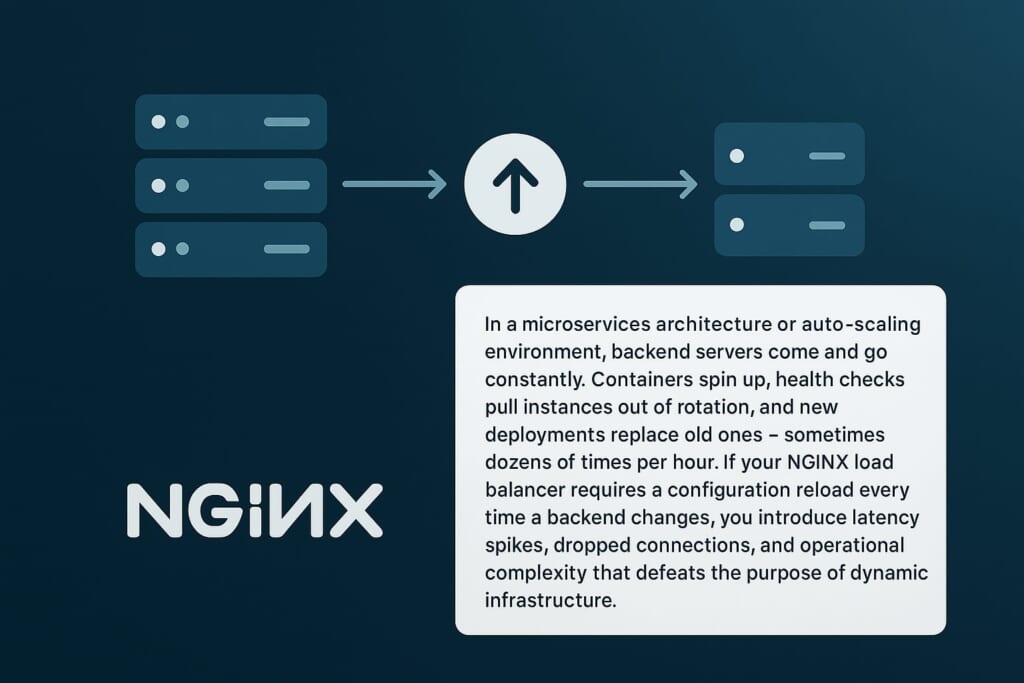
In a microservices architecture or auto-scaling environment, backend servers come and go constantly. Containers spin up, health checks pull instances out of rotation, and new deployments replace old ones — sometimes dozens of times per hour. If your NGINX load balancer requires a configuration reload every time a backend changes, you introduce latency spikes, dropped connections, and operational complexity that defeats the purpose of having an NGINX dynamic upstream setup in the first place.
The traditional workaround is consul-template or similar tools that regenerate nginx.conf and trigger nginx -s reload. However, each reload briefly interrupts in-flight requests and causes all workers to re-read the entire configuration. Under heavy traffic and frequent backend changes, these reloads compound into measurable downtime.
The NGINX upsync module solves this problem by turning your upstream blocks into truly dynamic upstream groups. It polls a service discovery backend — Consul or etcd — at configurable intervals and updates the upstream server list in shared memory, without any reload. Servers are added, removed, or reconfigured (weight, max_fails, fail_timeout) entirely at runtime. Additionally, the module dumps the current upstream state to a local file, so NGINX can recover the last known configuration even if the service discovery backend is temporarily unavailable.
How the NGINX Dynamic Upstream Upsync Module Works
The upsync module operates on a pull-based model. Each NGINX worker process periodically sends HTTP requests to Consul or etcd, asking for the current list of servers registered under a specific key path. The module uses long-polling where supported — for Consul, it sends the current index with each request, and Consul holds the connection for up to 5 minutes if nothing has changed. The moment a backend is added or removed, Consul responds immediately with the updated list.
Here is what happens step by step:
- Startup: NGINX reads an initial server list from a local dump file (
includedirective). Ifstrong_dependency=on, it also fetches from Consul/etcd before accepting traffic. - Polling loop: Each worker polls the service discovery backend at the configured
upsync_interval(default: 5 seconds). Consul’s blocking queries mean the connection idles until a change occurs or the timeout expires. - Update: When the module detects a change (new server, removed server, or modified attributes), it updates the upstream’s in-memory peer list. No reload is needed.
- Dump: After each update, the module writes the current server list to the
upsync_dump_pathfile. This serves as disaster recovery — if Consul goes down, NGINX can still reload from this file.
This architecture means your NGINX dynamic upstream configuration stays in sync with your service registry with sub-second latency, while maintaining resilience against registry outages.
When Do You Actually Need Upsync? Comparing Alternatives
Before installing a third-party module, you should understand what native NGINX, its forks, and NGINX-MOD already offer for dynamic upstream management. The upsync module fills a specific gap, but it overlaps with several alternatives.
NGINX-MOD Built-in Dynamic Upstream API
If you are a GetPageSpeed subscriber, NGINX-MOD already includes a built-in NGINX Plus-compatible REST API for dynamic upstream management. This is the simplest option when you do not need Consul or etcd integration.
NGINX-MOD’s API uses a push-based model — your deployment scripts, auto-scaling hooks, or orchestration tools call the REST API directly to add, remove, or modify upstream servers:
POST /api/1/http/upstreams/backend/servers     — add a server
GET  /api/1/http/upstreams/backend/servers     — list servers
PATCH /api/1/http/upstreams/backend/servers/0  — modify a server
DELETE /api/1/http/upstreams/backend/servers/0 — remove a server
Combined with the state directive, changes persist across NGINX reloads and restarts. This approach requires no external service discovery system — you control when and how servers are added.
When to choose NGINX-MOD API over upsync:
- You manage server lifecycle directly (auto-scaling scripts, CI/CD pipelines, Kubernetes operators that call an HTTP API)
- You want NGINX Plus API compatibility for existing tooling
- You do not run Consul or etcd
When to choose upsync instead:
- Your infrastructure already uses Consul or etcd as the source of truth for service registration
- You need automatic discovery — backends register themselves, and NGINX picks them up without any external trigger
- You want a pull-based model where NGINX watches the registry rather than being told about changes
Native NGINX resolve Parameter (1.27.3+)
NGINX open-sourced the resolve parameter in version 1.27.3 (November 2024). It re-resolves DNS names in upstream server directives based on DNS TTL, without a reload:
upstream backend {
    zone backend_zone 64k;
    resolver 8.8.8.8 valid=30s;
    server api.example.com:8080 resolve;
}
Limitation: The resolve parameter only re-resolves domain names that are already declared in the configuration. It cannot add entirely new servers or remove existing ones at runtime. If your service registry adds a new host that was not in the original config, resolve will not discover it. You still need a reload for structural changes to the upstream block.
For a detailed guide on the native resolve parameter, see NGINX Upstream Resolve: Dynamic DNS for Load Balancing.
NGINX Plus API
NGINX Plus provides a full REST API for managing upstream servers at runtime:
POST /api/9/http/upstreams/backend/servers
DELETE /api/9/http/upstreams/backend/servers/3
PATCH /api/9/http/upstreams/backend/servers/3
This is the most complete solution: add, remove, drain, and reconfigure servers via HTTP. Combined with the state directive, changes persist across reloads. However, NGINX Plus requires a commercial subscription starting at $3,675/year per instance.
Angie (NGINX Fork)
Angie, developed by former NGINX core team members, shipped the resolve parameter in its free edition since version 1.1.0 (January 2023) — nearly two years before NGINX open-sourced it. Angie also offers:
- Docker container auto-discovery (since 1.10.0): Angie subscribes to Docker/Podman lifecycle events and automatically adds/removes containers from upstream groups.
- Dynamic config API (Angie PRO): A REST API similar to NGINX Plus for adding/removing servers at runtime.
However, Angie’s free edition has the same limitation as native NGINX resolve — it cannot add servers that are not in the configuration file. The dynamic config API requires a commercial Angie PRO subscription.
consul-template
HashiCorp’s consul-template watches Consul for changes, regenerates configuration files from Go templates, and triggers nginx -s reload. This works but requires a reload on every change, which briefly disrupts active connections.
Where Upsync Fits
The upsync module is the right choice when you need native Consul or etcd integration with automatic service discovery. Here is how all the options compare:
| Capability | NGINX-MOD API | NGINX OSS resolve |
NGINX Plus API | Angie OSS | Upsync |
|---|---|---|---|---|---|
| Add/remove servers at runtime | Yes | No | Yes | No (PRO only) | Yes |
| Model | Push (API calls) | DNS polling | Push (API calls) | DNS polling | Pull (registry polling) |
| Service discovery integration | No (script-driven) | No | No (via DNS SRV) | Docker only | Consul, etcd |
| State persistence across restarts | Yes (state) |
No | Yes (state) |
No (PRO only) | Yes (dump file) |
| No reload required | Full | DNS only | Full | DNS only | Full |
| Open source | GetPageSpeed sub | Yes | No ($3,675+/yr) | Yes | Yes |
Installing the NGINX Dynamic Upstream Upsync Module
RHEL, CentOS, AlmaLinux, Rocky Linux
sudo dnf install https://extras.getpagespeed.com/release-latest.rpm
sudo dnf install nginx-module-upsync
Then load the module by adding this line at the top of /etc/nginx/nginx.conf:
load_module modules/ngx_http_upsync_module.so;
For TCP/UDP (stream) backends, also install the stream variant:
sudo dnf install nginx-module-stream-upsync
And load it:
load_module modules/ngx_stream_upsync_module.so;
Debian and Ubuntu
First, set up the GetPageSpeed APT repository, then install:
sudo apt-get update
sudo apt-get install nginx-module-upsync
For TCP/UDP stream backends:
sudo apt-get install nginx-module-stream-upsync
On Debian/Ubuntu, the package handles module loading automatically. No
load_moduledirective is needed.
Module pages:
– RPM: nginx-module-upsync
– APT: nginx-module-upsync
Configuration Reference
The upsync module provides four directives. All upstream-context directives go inside the upstream block.
upsync
Syntax:  upsync $address/$path upsync_type=consul|consul_services|consul_health|etcd
                [upsync_interval=time] [upsync_timeout=time] [strong_dependency=on|off]
Context: upstream
The main directive that enables dynamic upstream synchronization. The first argument is the address of your Consul or etcd server followed by the API path.
Parameters:
| Parameter | Default | Description |
|---|---|---|
upsync_type |
(required) | Service discovery backend: consul, consul_services, consul_health, or etcd |
upsync_interval |
5s |
How often to poll for changes |
upsync_timeout |
6m |
HTTP request timeout for polling (set higher than Consul’s blocking query timeout) |
strong_dependency |
off |
When on, NGINX fetches from the registry on startup/reload and fails if unavailable |
Consul API types explained:
consul— Uses Consul’s Key/Value store (/v1/kv/...). You manually register servers as KV entries.consul_services— Uses Consul’s Service Catalog (/v1/catalog/service/...). Servers are discovered from registered services.consul_health— Uses Consul’s Health API (/v1/health/service/...). Only servers passing health checks are included. Services with failing checks are automatically marked asdown.etcd— Uses etcd’s v2 API (/v2/keys/...). Servers are stored as key-value pairs.
upsync_dump_path
Syntax:  upsync_dump_path $path
Context: upstream
Path where the module dumps the current upstream server list after each update. This file serves as disaster recovery — if Consul or etcd becomes unavailable, NGINX can still reload using this file.
Important: Place this file outside of any directory included by a wildcard include directive (such as /etc/nginx/conf.d/*.conf), because the dump file contains bare server directives that are only valid inside an upstream block. A good location is /etc/nginx/upsync/.
upsync_lb
Syntax:  upsync_lb $method
Context: upstream
Specifies the load balancing algorithm for the dynamic upstream. This is needed because the standard NGINX load balancing directives (least_conn, ip_hash, etc.) are processed at configuration time, before the upsync module adds servers.
Available methods:
| Method | Description |
|---|---|
roundrobin |
Weighted round-robin (default) |
ip_hash |
Hash client IP for session persistence |
least_conn |
Route to server with fewest active connections |
hash_modula |
Hash-based distribution using modulo |
hash_ketama |
Consistent hashing (minimizes redistribution when servers change) |
For dynamic environments where servers frequently join and leave, hash_ketama (consistent hashing) minimizes cache invalidation and session disruption.
upstream_show
Syntax:  upstream_show
Context: location
Exposes an HTTP endpoint that displays the current upstream server list. Use this for monitoring and debugging.
Query a specific upstream by name:
GET /upstream_show?backend_name
Or show all upstreams:
GET /upstream_show
Consul Integration: Complete Example
This example demonstrates a complete setup with NGINX and Consul for dynamic upstream management.
NGINX Configuration
Create the upsync directory and initial dump file:
sudo mkdir -p /etc/nginx/upsync
echo "server 127.0.0.1:8080 weight=1 max_fails=2 fail_timeout=10;" | sudo tee /etc/nginx/upsync/backend_dump.conf
Configure NGINX:
upstream backend {
    upsync 127.0.0.1:8500/v1/kv/upstreams/backend upsync_timeout=6m upsync_interval=500ms upsync_type=consul strong_dependency=off;
    upsync_dump_path /etc/nginx/upsync/backend_dump.conf;
    upsync_lb roundrobin;

    include /etc/nginx/upsync/backend_dump.conf;
}

server {
    listen 80;

    location / {
        proxy_pass http://backend;
        proxy_http_version 1.1;
        proxy_set_header Connection "";
        proxy_set_header Host $host;
        proxy_set_header X-Real-IP $remote_addr;
        proxy_set_header X-Forwarded-For $proxy_add_x_forwarded_for;
    }

    location /upstream_show {
        upstream_show;
        allow 127.0.0.1;
        deny all;
    }
}
Registering Servers in Consul
Add a backend server with default attributes:
curl -X PUT http://127.0.0.1:8500/v1/kv/upstreams/backend/192.168.1.10:8080
Add a server with custom attributes (JSON format):
curl -X PUT -d '{"weight":3, "max_fails":2, "fail_timeout":10}'
  http://127.0.0.1:8500/v1/kv/upstreams/backend/192.168.1.11:8080
Remove a server:
curl -X DELETE http://127.0.0.1:8500/v1/kv/upstreams/backend/192.168.1.10:8080
Mark a server as down:
curl -X PUT -d '{"weight":1, "max_fails":2, "fail_timeout":10, "down":1}'
  http://127.0.0.1:8500/v1/kv/upstreams/backend/192.168.1.11:8080
Adjust server weight (for canary deployments or gradual traffic shifting):
curl -X PUT -d '{"weight":5, "max_fails":2, "fail_timeout":10}'
  http://127.0.0.1:8500/v1/kv/upstreams/backend/192.168.1.11:8080
Verify the current backend list in Consul:
curl http://127.0.0.1:8500/v1/kv/upstreams/backend?recurse
Using Consul Health API
For production environments, consul_health is the recommended type. It automatically excludes servers with failing health checks:
upstream backend {
    upsync 127.0.0.1:8500/v1/health/service/web upsync_timeout=6m upsync_interval=500ms upsync_type=consul_health strong_dependency=off;
    upsync_dump_path /etc/nginx/upsync/backend_dump.conf;
    upsync_lb least_conn;

    include /etc/nginx/upsync/backend_dump.conf;
}
With this configuration, when Consul detects a failing health check on a backend, the upsync module automatically marks that server as down in the NGINX dynamic upstream — no manual intervention required.
etcd Integration Example
For environments using etcd instead of Consul:
upstream backend {
    upsync 127.0.0.1:2379/v2/keys/upstreams/backend upsync_timeout=6m upsync_interval=500ms upsync_type=etcd strong_dependency=off;
    upsync_dump_path /etc/nginx/upsync/backend_dump.conf;
    upsync_lb roundrobin;

    include /etc/nginx/upsync/backend_dump.conf;
}
Register servers in etcd:
curl -X PUT -d value='{"weight":1, "max_fails":2, "fail_timeout":10}'
  http://127.0.0.1:2379/v2/keys/upstreams/backend/192.168.1.10:8080
Remove a server:
curl -X DELETE http://127.0.0.1:2379/v2/keys/upstreams/backend/192.168.1.10:8080
Note: The upsync module uses etcd’s v2 API. If you are running etcd v3, ensure the v2 API compatibility layer is enabled.
TCP/UDP Load Balancing with Stream Upsync
The companion module nginx-module-stream-upsync provides the same NGINX dynamic upstream functionality for TCP and UDP traffic via the stream module. This is useful for database proxies, message queues, and other non-HTTP services.
load_module modules/ngx_stream_upsync_module.so;

stream {
    upstream tcp_backend {
        upsync 127.0.0.1:8500/v1/kv/upstreams/tcp_backend upsync_timeout=6m upsync_interval=500ms upsync_type=consul strong_dependency=off;
        upsync_dump_path /etc/nginx/upsync/tcp_backend_dump.conf;

        include /etc/nginx/upsync/tcp_backend_dump.conf;
    }

    server {
        listen 3306;
        proxy_pass tcp_backend;
        proxy_connect_timeout 10s;
        proxy_timeout 300s;
    }
}
The stream variant supports the same upsync_type options (consul, etcd) and the same registration interface.
Inspecting Current Upstream Servers
The upstream_show directive provides a built-in monitoring endpoint. Configure it in a location block:
location /upstream_show {
    upstream_show;
    allow 127.0.0.1;
    deny all;
}
Query all upstreams:
curl http://127.0.0.1/upstream_show
Example output:
Upstream name: backend; Backend server count: 2
        server 127.0.0.1:9001 weight=1 max_fails=2 fail_timeout=10s;
        server 127.0.0.1:9002 weight=1 max_fails=2 fail_timeout=10s;
Query a specific upstream by appending its name as a query parameter:
curl http://127.0.0.1/upstream_show?backend
This endpoint is invaluable for verifying that NGINX has picked up the latest changes from your service registry.
Disaster Recovery with Dump Files
The upsync_dump_path directive is a critical safety net. The dump file contains the last known good state of your upstream servers in standard NGINX server directive format:
server 192.168.1.10:8080 weight=3 max_fails=2 fail_timeout=10;
server 192.168.1.11:8080 weight=1 max_fails=2 fail_timeout=10;
This provides resilience in two scenarios:
- Consul/etcd outage during NGINX operation: The module continues serving with the last known server list. When the registry returns, synchronization resumes automatically.
- Consul/etcd outage during NGINX restart: The
includedirective loads the dump file, so NGINX starts with the most recent server list even if the registry is down. (Ensurestrong_dependency=offfor this to work.)
Best practice: Set strong_dependency=off in production. This ensures NGINX always starts, even when the service registry is temporarily unavailable. The dump file provides a reliable fallback.
Performance Considerations
The upsync module is designed for minimal performance impact:
- Polling overhead: Each poll is a single HTTP request to Consul/etcd. With Consul’s long-polling (blocking queries), the connection idles for up to 5 minutes if nothing changes. The actual overhead is one TCP connection per upstream per worker.
- Update latency: Changes in Consul are detected within the
upsync_interval(default 5s). With Consul blocking queries, detection is near-instantaneous. - Memory: The module maintains the upstream peer list in process memory. For most deployments (dozens to hundreds of backends), memory usage is negligible.
- Worker coordination: Each worker independently polls the service registry. There is no shared memory coordination between workers for the polling itself, so all workers converge to the same state independently.
Tuning recommendations:
- Set
upsync_interval=500msfor environments where sub-second detection matters - Set
upsync_timeout=6mor higher — this should exceed Consul’s blocking query timeout (5 minutes by default) to avoid unnecessary reconnections - For large upstream pools (100+ servers), monitor the dump file size and NGINX’s memory usage
Security Best Practices
The upsync module communicates with Consul or etcd over plain HTTP by default. In production, follow these security practices:
Restrict the upstream_show Endpoint
Always limit access to the upstream_show endpoint to trusted addresses:
location /upstream_show {
    upstream_show;
    allow 127.0.0.1;
    allow 10.0.0.0/8;
    deny all;
}
Exposing this endpoint publicly leaks your internal server topology.
Secure Consul/etcd Communication
If your Consul or etcd cluster is on a separate network, ensure the communication path is secured:
- Use a VPN or private network between NGINX and the registry
- Configure Consul ACL tokens to restrict which keys the NGINX service can read
- Consider running a local Consul agent on the same host as NGINX and connecting to
127.0.0.1:8500
Protect the Dump File
The dump file at upsync_dump_path contains your internal server IPs and ports. Set appropriate file permissions:
sudo chown nginx:nginx /etc/nginx/upsync/
sudo chmod 700 /etc/nginx/upsync/
Avoid Strong Dependency in Production
Setting strong_dependency=on means NGINX refuses to start if Consul/etcd is unreachable. While this sounds safe, it can prevent NGINX from recovering after a restart during a registry outage. Use strong_dependency=off with a pre-populated dump file instead.
Troubleshooting
NGINX Logs “upsync_recv: recv error” Repeatedly
This means the module cannot connect to Consul or etcd. Check:
- Consul/etcd is running and reachable: `curl http://127.0.0.1:8500/v1/status/leader`
- The address in the
upsyncdirective is correct - No firewall rules blocking the connection
These errors are non-fatal when strong_dependency=off — NGINX continues serving with the last known upstream list.
NGINX Fails to Start: “no servers to add”
The dump file is empty or missing. Create it with at least one server entry:
echo "server 127.0.0.1:8080 weight=1 max_fails=2 fail_timeout=10;" > /etc/nginx/upsync/backend_dump.conf
Servers Not Updating After Consul Change
- Check the
upstream_showendpoint to see the current state - Verify the Consul key path matches the
upsyncdirective exactly - Check NGINX error log for parsing errors:
grep upsync /var/log/nginx/error.log - Ensure the JSON format in Consul is valid:
{"weight":1, "max_fails":2, "fail_timeout":10}
Dump File in conf.d Directory Causes Parse Error
If you see directive "server" has no opening "{", the dump file is being included at the http level by a wildcard like include /etc/nginx/conf.d/*.conf. Move the dump file to a dedicated directory such as /etc/nginx/upsync/ that is not covered by any wildcard include.
Conclusion
The NGINX dynamic upstream upsync module bridges the gap between static NGINX configuration and dynamic service discovery. For GetPageSpeed subscribers, NGINX-MOD already includes a built-in NGINX Plus-compatible API for push-based upstream management. The upsync module complements this by adding pull-based integration with Consul and etcd — automatically discovering backends as they register and deregister from your service registry.
Choose NGINX-MOD’s built-in API when your deployment pipeline or auto-scaling scripts drive server changes directly. Choose upsync when Consul or etcd is your source of truth and you want NGINX to discover backends automatically without any external trigger.
Source code: nginx-upsync-module on GitHub (HTTP) | nginx-stream-upsync-module on GitHub (Stream)
For the complete guide to all NGINX load balancing algorithms and related modules, see NGINX Load Balancing: Complete Guide to Algorithms and Setup.
Upstream config moves faster than security review. Continuous scanning catches the lag between an upstream change and the next manual audit. GetPageSpeed Amplify runs scheduled gixy scans across every host and ties findings to live NGINX runtime metrics. Drop-in compatible with the deprecated nginx-amplify-agent (EOL January 2026).